Cevoid

Changelog

Stay up to date with the latest features, improvements, and fixes to Cevoid.

TikTok integration

June 24, 2025

This week we have added the first version of our TikTok integration. With the first launch, you will be able to automatically sync videos from your own TikTok feed. Later this year, we will open up for collect UGC from TikTok and add TikTok tasks to the Program module.

Summary of first version of the TikTok integration

  • Videos from your own feed are automatically synced
  • Videos are added to your Inbox once synced
  • Once synced, they are managed as all other posts
  • Support for Multi TikTok accounts on the same workspace
  • Import historical TikTok feed posts (up to 9 years)
  • We have added a TikTok feed gallery under UGC › on-site widgets

Activate the integration under Settings › Integrations › TikTok

New module: Loyalty

June 23, 2025

Loyalty

We're excited to launch the Engagement Program module, a unique rewards program designed to boost customer engagement beyond purchases and reward your loyal fans.

This fresh take on loyalty and rewards empowers you to engage customers between purchases, reward their actions, and build deeper relationships with your brand.

Overview of key features

  • Challenges for recurring engagement: Drive hype and continuous customer interaction with structured challenges that include tasks, competitions, and rewards.
  • Loyalty activities for early activation: Collect valuable customer data, grow your newsletter subscriptions, boost social media followers, and encourage user-generated content with single-task engagements.
  • Flexible purchase incentives: Set up a points-per-currency-spent loyalty system that automatically localizes for your markets.
  • Diverse rewards options: Create a branded points shop, automatically distribute discount codes, design exclusive digital badges, or set up custom rewards that go beyond e-commerce.
  • Customizable points & tiers: Rename points to align with your brand, create an unlimited number of tiers, and set tier milestones based on points, spend, purchases, or a combination.
  • Automatic localization: Your Engagement Program widgets will automatically localize to the correct language, currency formats, and conversions for each of your markets.

This new module allows you to cultivate deeper customer relationships by engaging your audience in meaningful ways beyond just transactions.

We've rolled out significant updates to our Instagram integration, giving you more flexibility and automation to manage your user-generated content (UGC) and engage your audience on Instagram.

What's improved

  • Connect multiple Instagram accounts: You can now link several Instagram accounts to a single workspace. This allows you to collect UGC, send rights requests, and schedule posts across all your connected brand profiles from one central place.
  • Automatic hashtag-based UGC collection: Posts using your tracked hashtags are now automatically saved within the platform, just like tagged and mentioned posts. This streamlines your UGC workflow by ensuring you capture all relevant content effortlessly. (Note: This applies to future posts; historical posts cannot be detected via hashtags).
  • New "Post & Mention on Instagram" program task: As part of the recently launched Engagement Program module, you can now automatically reward customers for posting and mentioning your brand on Instagram. This task can be integrated into Challenges or used as a standalone Loyalty Activity, with Cevoid verifying completion live.

These enhancements provide you with more powerful tools to boost your Instagram strategy, automate UGC collection, and reward customers for their Instagram actions.

Profiles & segments

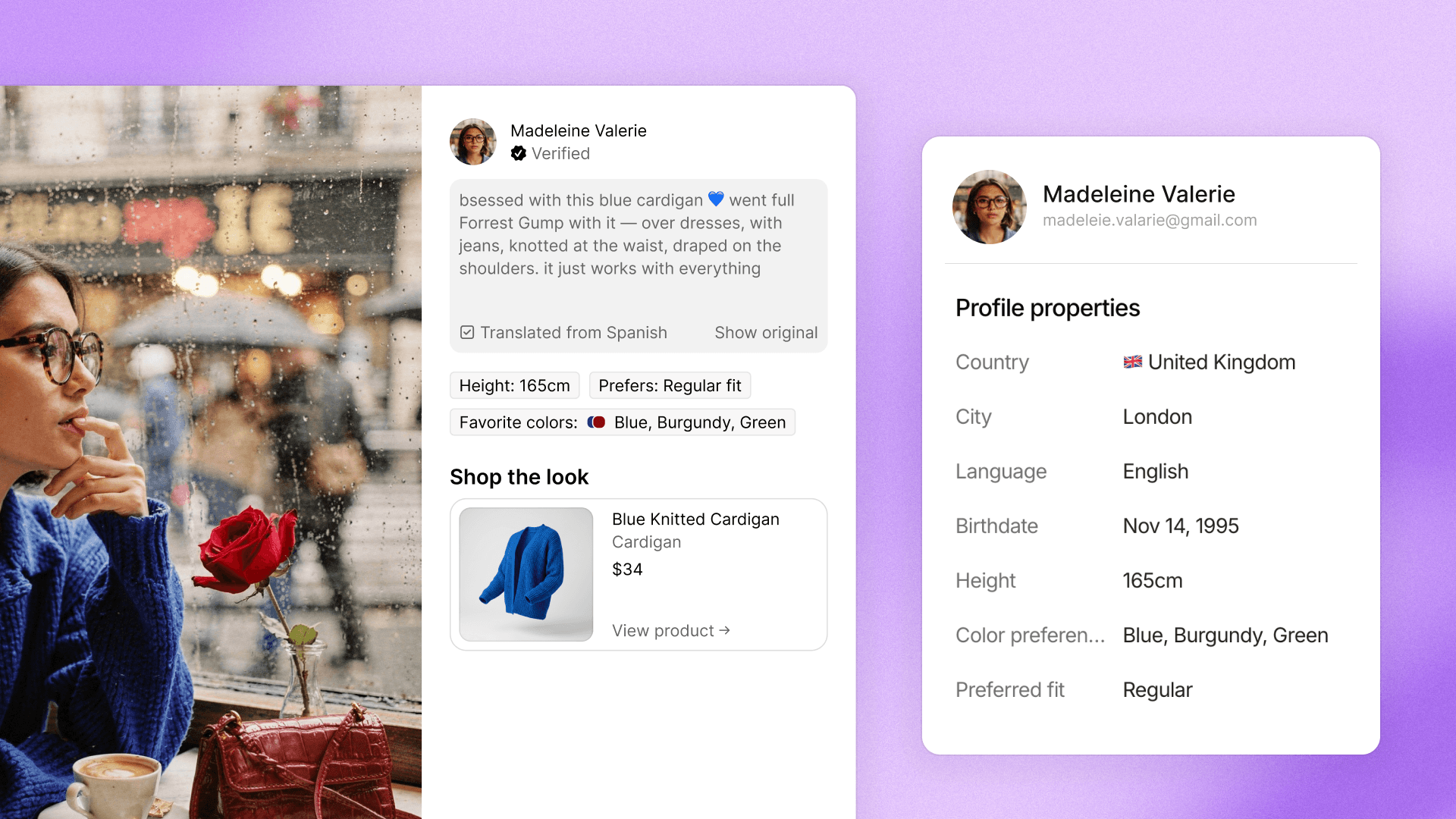
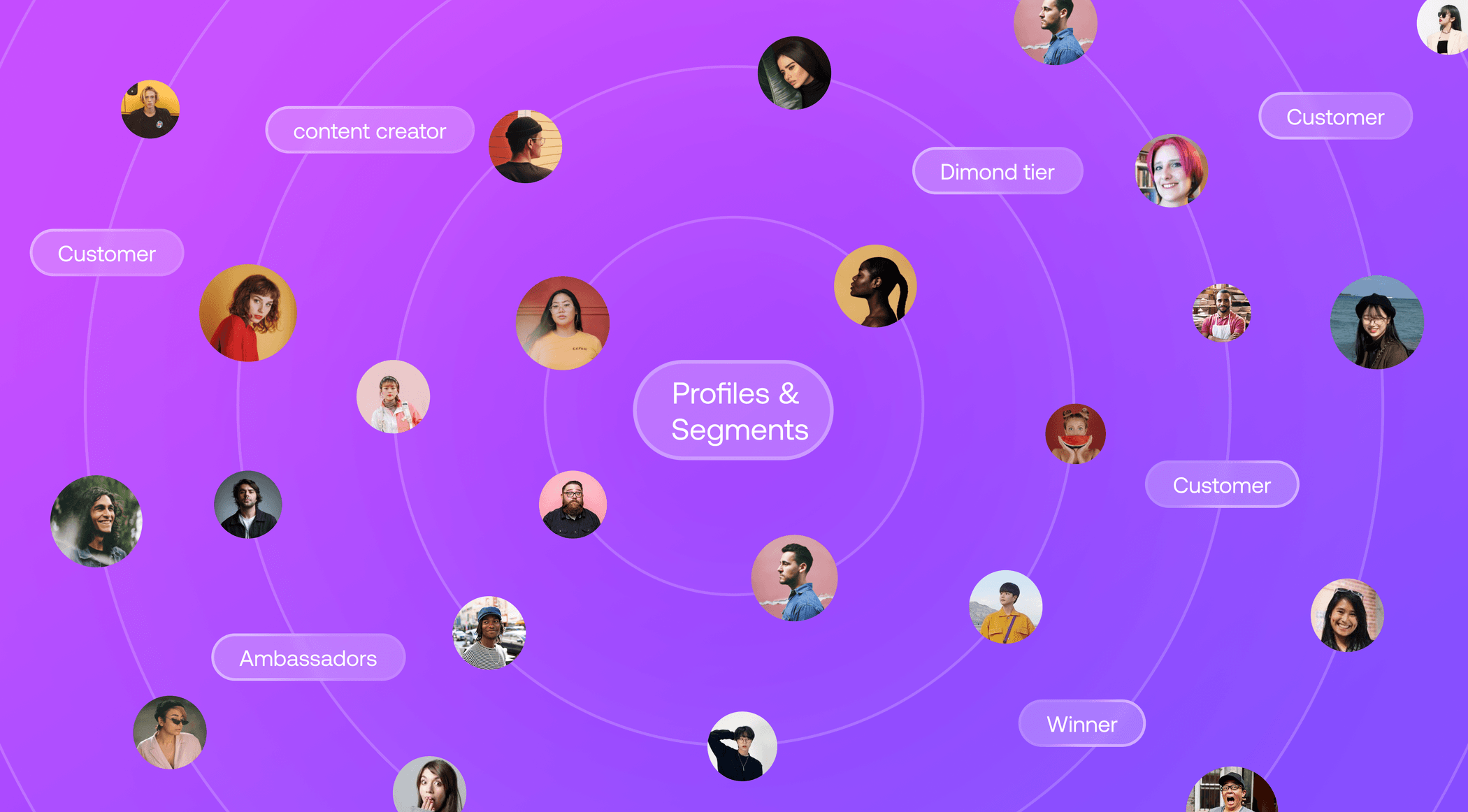
We're excited to introduce Profiles and Segments, a significant evolution in how you manage and interact with your brand community within Cevoid. This update expands beyond user-generated content (UGC), giving you more comprehensive tools to understand and engage with every individual who interacts with your brand.

What's new

  • Centralized profile view: A new dedicated view for Profiles makes it easier to access and manage all your community members in one place.
  • Improved profile search: Quickly find specific profiles with enhanced search capabilities.
  • Customizable profile view: Tailor your experience by adding and hiding columns in the Profiles view to display the information most relevant to you.
  • Dynamic segmentation: Organize your profiles effectively with Segments, allowing you to dynamically group individuals based on their interactions and characteristics.
  • Default segments for quick insights: Get started immediately with three helpful default segments: Content creators, Program Members, and Customers.
  • Custom segment creation: Create your own custom segments under Profiles › Segments to match your unique community management needs.
  • Segment-exclusive challenges: Make your Challenges exclusively available for selected Segments, allowing for more targeted and effective campaigns.

To explore your new Profiles and Segments, simply navigate to the new Profiles section in your Cevoid platform.

We've made significant under-the-hood improvements to dramatically boost your platform's speed. You'll now experience blazing-fast content uploads and quicker workspace loading, especially for profiles, making your daily tasks more efficient and seamless.

What's improved

  • Faster content uploads: Uploading content, even large 4K videos, now takes seconds instead of minutes across all upload interfaces, including our Social Media Scheduling tool.
  • Instant profile loading: For workspaces with a large number of profiles, logging in and accessing profile data is now virtually instant. Profiles are fetched on-demand, eliminating previous wait times, even with millions of profiles.

We're already planning similar data handling improvements for posts, aiming to further reduce load times for brands with extensive content libraries.

We're excited to announce a major update that allows you to extend the power of your Cevoid profile data and engagement beyond our platform. This means you can now integrate valuable community insights directly with your CRM and e-commerce platforms, enabling deeper personalization and more effective communication across your entire tech stack.

What's new

  • Enhanced CRM integrations for profile data & events: Automatically sync rich profile data like social media handles, program membership status (tier and points balance), language, and country to your CRM. You can also share profile events to trigger automated journeys based on key actions. This functionality is currently available for Klaviyo and Voyado.
  • E-commerce platform integration for personalized shopping: Share Cevoid profile data with your e-commerce platform to create personalized shopping experiences. For example, you can tailor tier-specific pages or offerings based on a customer's program status. This integration is currently available for Shopify.
  • Coming soon: custom profile data: You'll be able to define and collect custom profile data unique to your brand directly through the Program module.

Widget design theme

June 23, 2025

Widget design theme

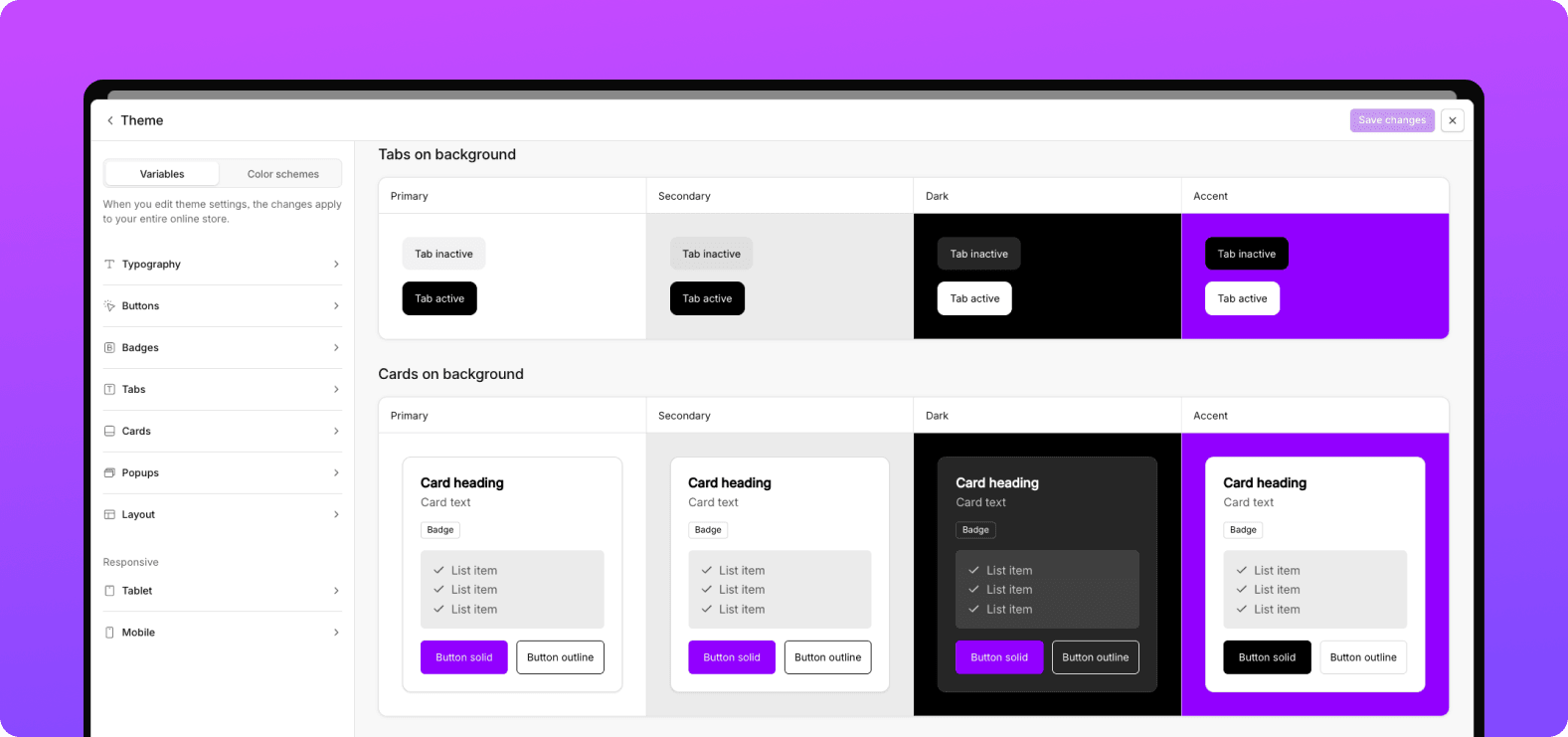
We're excited to launch the Widget Design Theme, a powerful new feature that centralizes the design control for all your Program widgets. This ensures a consistent, on-brand appearance across your entire site, making customization easier and more efficient than ever before.

What's new

  • Centralized design control: Manage the look of all your Program widgets from a single, intuitive interface, guaranteeing rapid and consistent brand alignment.
  • Extensive customization: Achieve a 100% on-brand experience by precisely defining Fonts & Typography (choose from Google Fonts or upload your own), Element Styling (buttons, cards, popups, and more), and Color Schemes for use across all widgets.
  • Intelligent design importer: Get a head start on your widget design with our new importers:
    • Site design importer: Simply enter your website URL, and our system will intelligently scrape its design and apply findings directly to your new design theme settings.
    • Shopify design importer: For Shopify users, seamlessly import your current theme styling directly from your Shopify store.
  • Widget-level adjustments: While widgets follow the global design theme, you can still fine-tune their copy, ordering, and layout individually, and each widget can utilize any of the defined color schemes.

To explore the new Widget Design Theme, navigate to your program settings and look for the "Design Theme" section.

Translations & localized legal policies

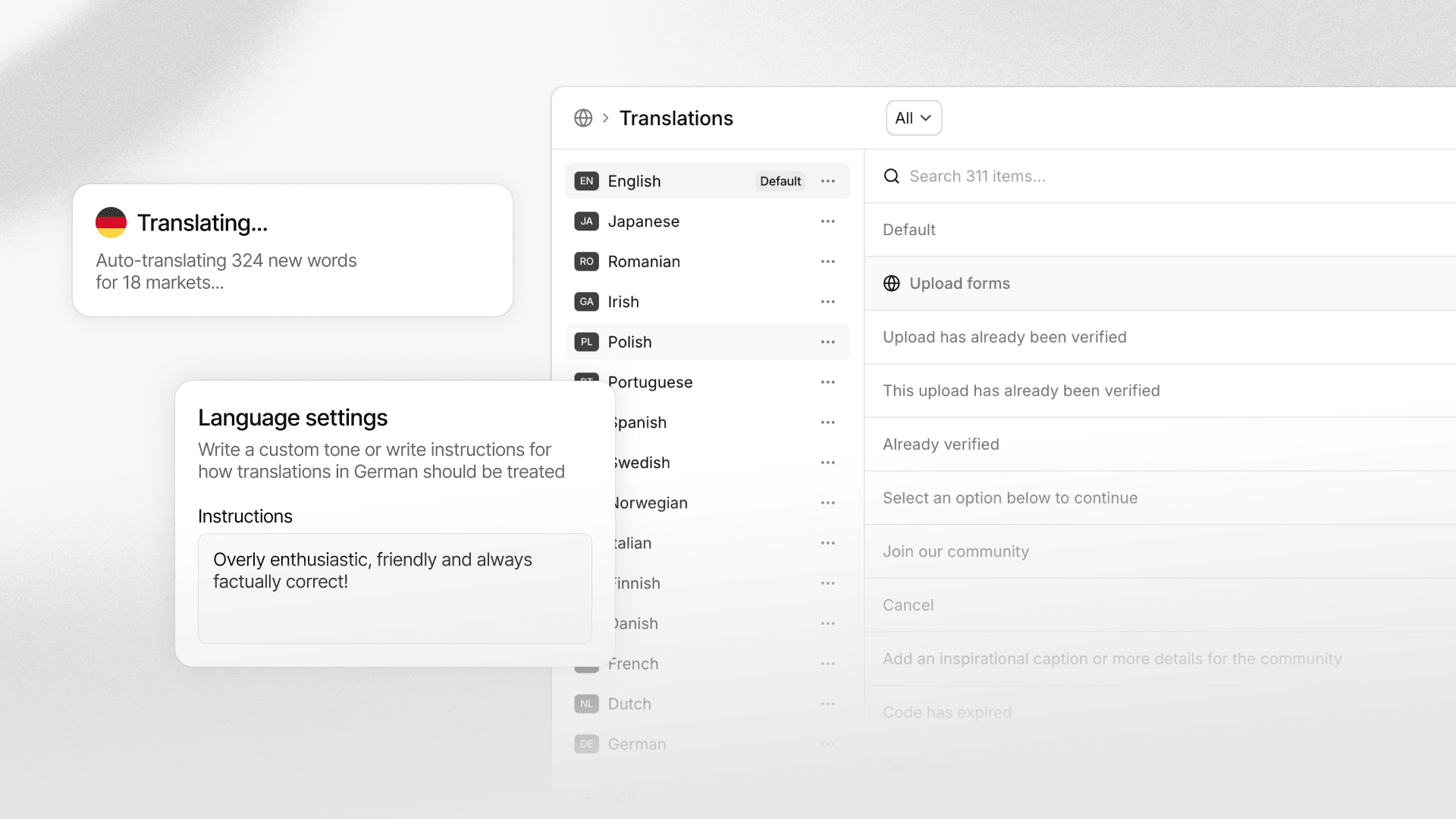
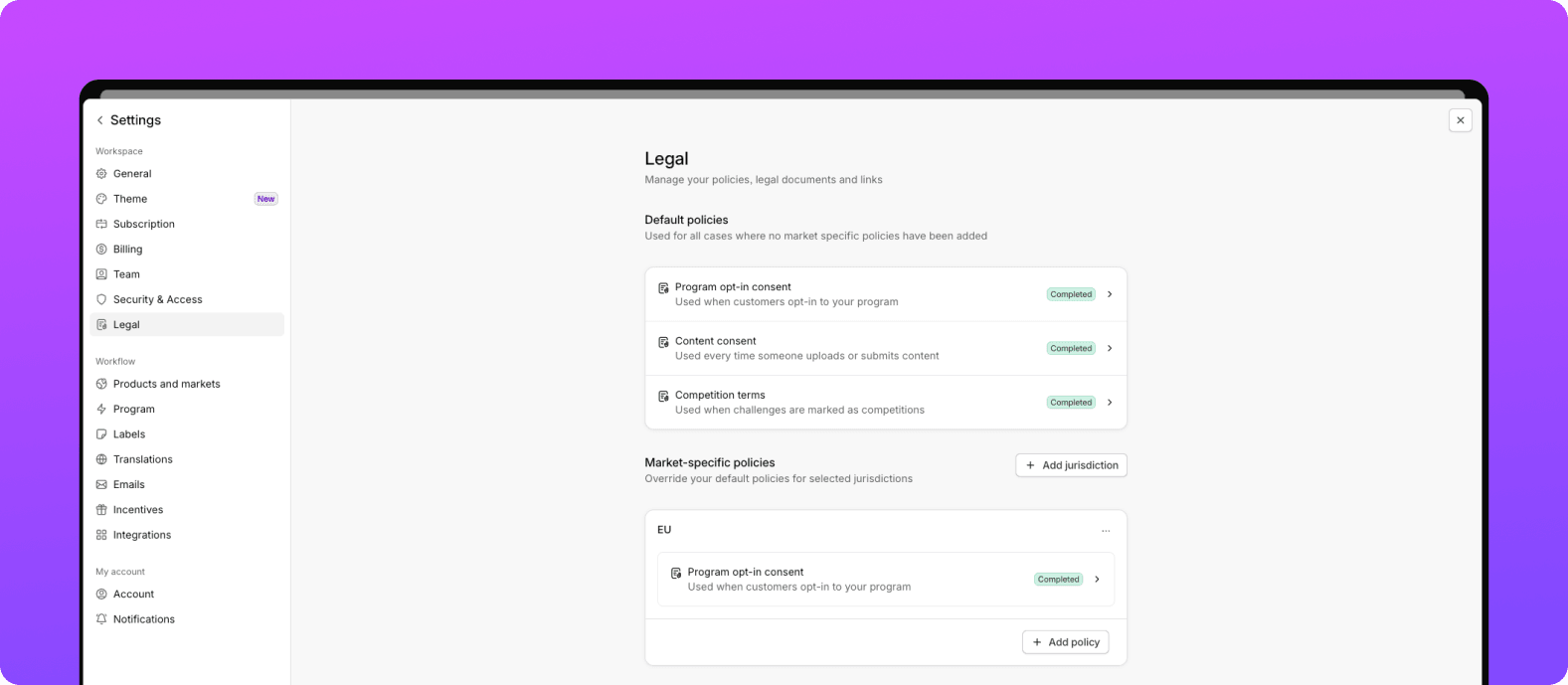
This update focuses on making your day-to-day operations smoother with significant improvements to how you manage translations and handle legal policies. We've introduced a centralized translation interface and a robust legal policy management system with localized jurisdiction capabilities.

What's new/improved

  • Unified translation management: Gain full control over all your module translations in one place under Settings › Translations. Easily search, filter, and translate individual strings or entire sections with a single click.
  • Customizable auto-translations: Fine-tune the tone of voice for each language, ensuring that auto-translations are even more accurate and aligned with your brand's communication style.
  • New legal policy interface: Manage your consumer-facing policies more effectively with our redesigned interface, found under Settings › Legal.
  • Flexible policy options: Set up Content consent policy, Program opt-in, and Competition terms as needed. These policies are optional and only go live once published.
  • Customizable policy opt-in methods: For each policy, choose between a simple text display or a required checkbox for user opt-in.
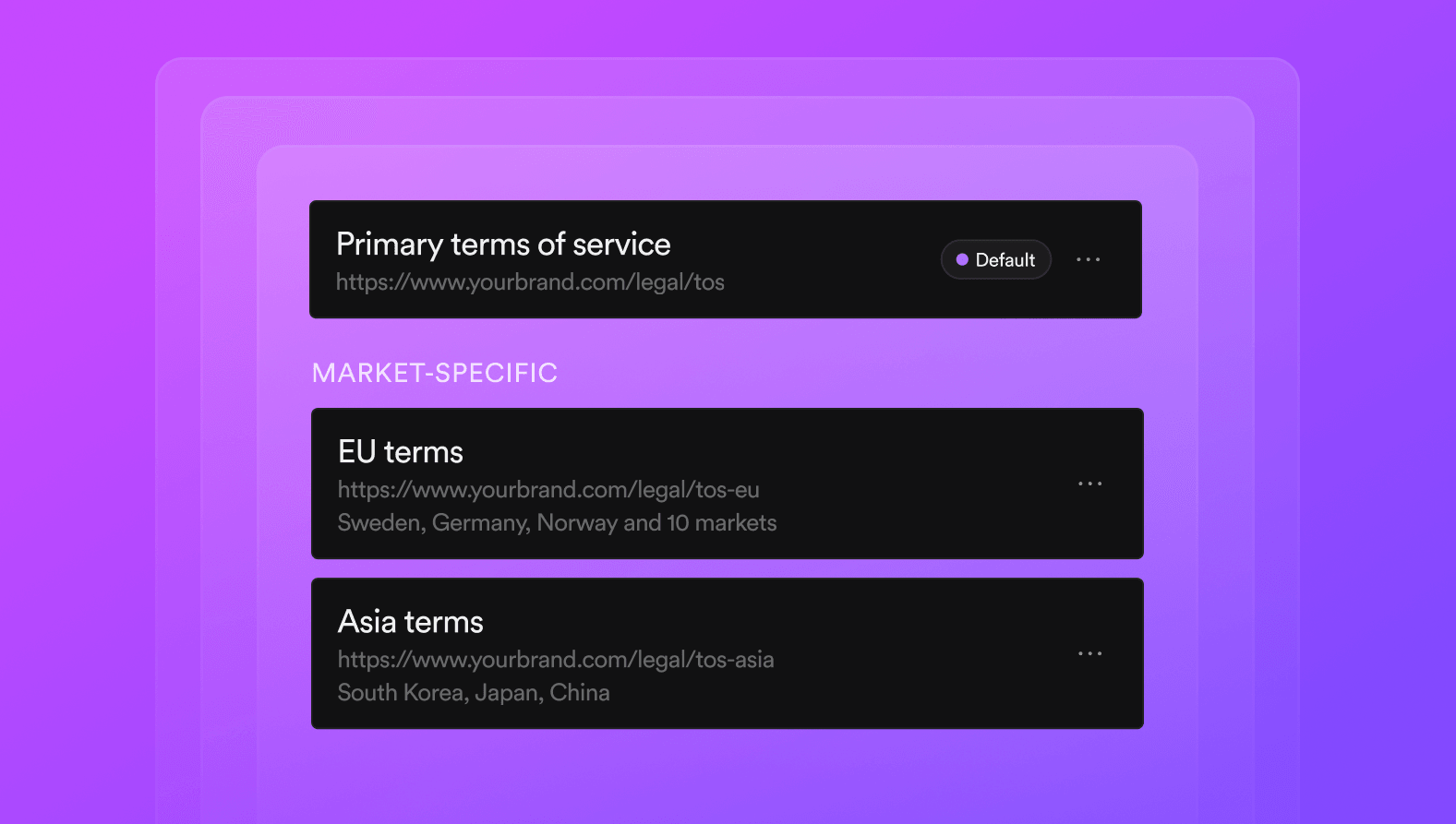
  • Localized jurisdictions for policies: Tailor opt-in copy, language, links, and requirements for different jurisdictions. Connect multiple markets to a single jurisdiction.

To explore the new translation features, head over to Settings › Translations. For managing and localizing your legal policies, visit Settings › Legal.

Email widget editor

Email widgets - New editor and content functionality

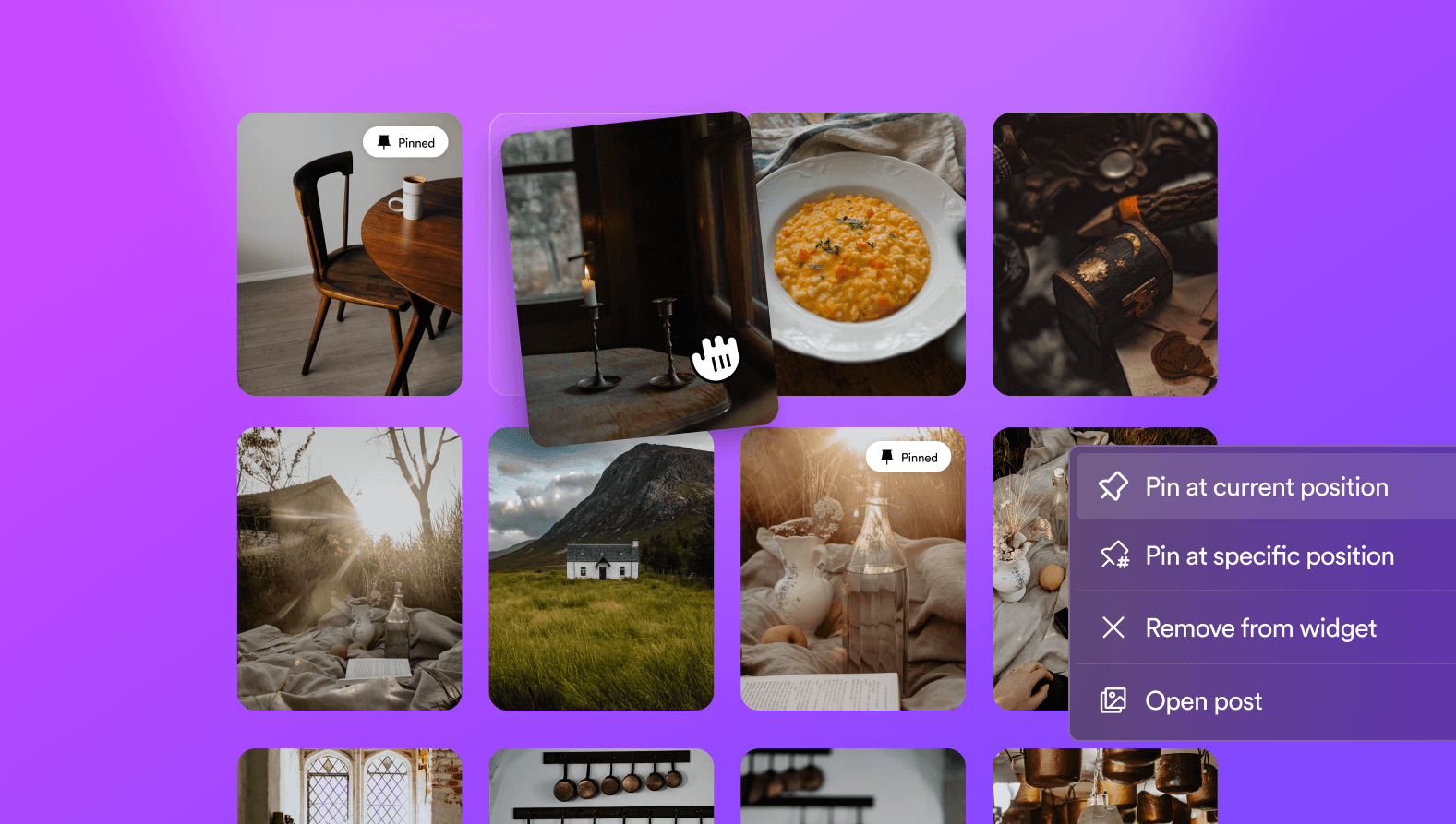
We just rolled out our new email widget editor. The new way to build email widgets focuses on creating dynamic widgets that update over time, allowing you to refresh them as you receive new content. It's now super easy to add content to a widget, and we've also added support to rearrange posts, pin them, and set a sort order.

For those wondering, we'll also introduce this editor to our galleries very soon. Stay tuned!

Klaviyo - Sync member data and events

With the recent changes to our email widget, we've upgraded our Klaviyo integration to make it easier to embed dynamic widgets that change and react to the content of your emails. You could display your Instagram feed that dynamically updates or a specific set of rules you want to display.

You can now also sync member attributes and event data to Klaviyo. This enables you to build better segmentation around your most loyal customers and super fans.

Teams - Individual notifications and roles

We've updated team member functionality to make it easier to invite your team members and assign roles to them. Each member can now set their individual notifications, which makes it easier to manage data in your workspace without everyone getting notified.

Terms of Service

Streamlined Terms of Service Management

Cevoid now enables brands to manage their Terms of Service (ToS) directly within the platform, simplifying legal compliance. Through a dedicated Legal page in Settings, brands can create and customize their own ToS, ensuring alignment with regional regulations since you can now tailor agreements for specific markets.

Shopify: Multiple storefronts on the same workspace

You can now connect multiple Shopify stores to the same Cevoid workspace. Prior to this update you would need multiple workspaces for each account. This is no longer required. If you are on setup with multiple workspaces for your Shopify stores, contact us and we will help you transfer to the new setup.