Profile activity timeline
November 19, 2026
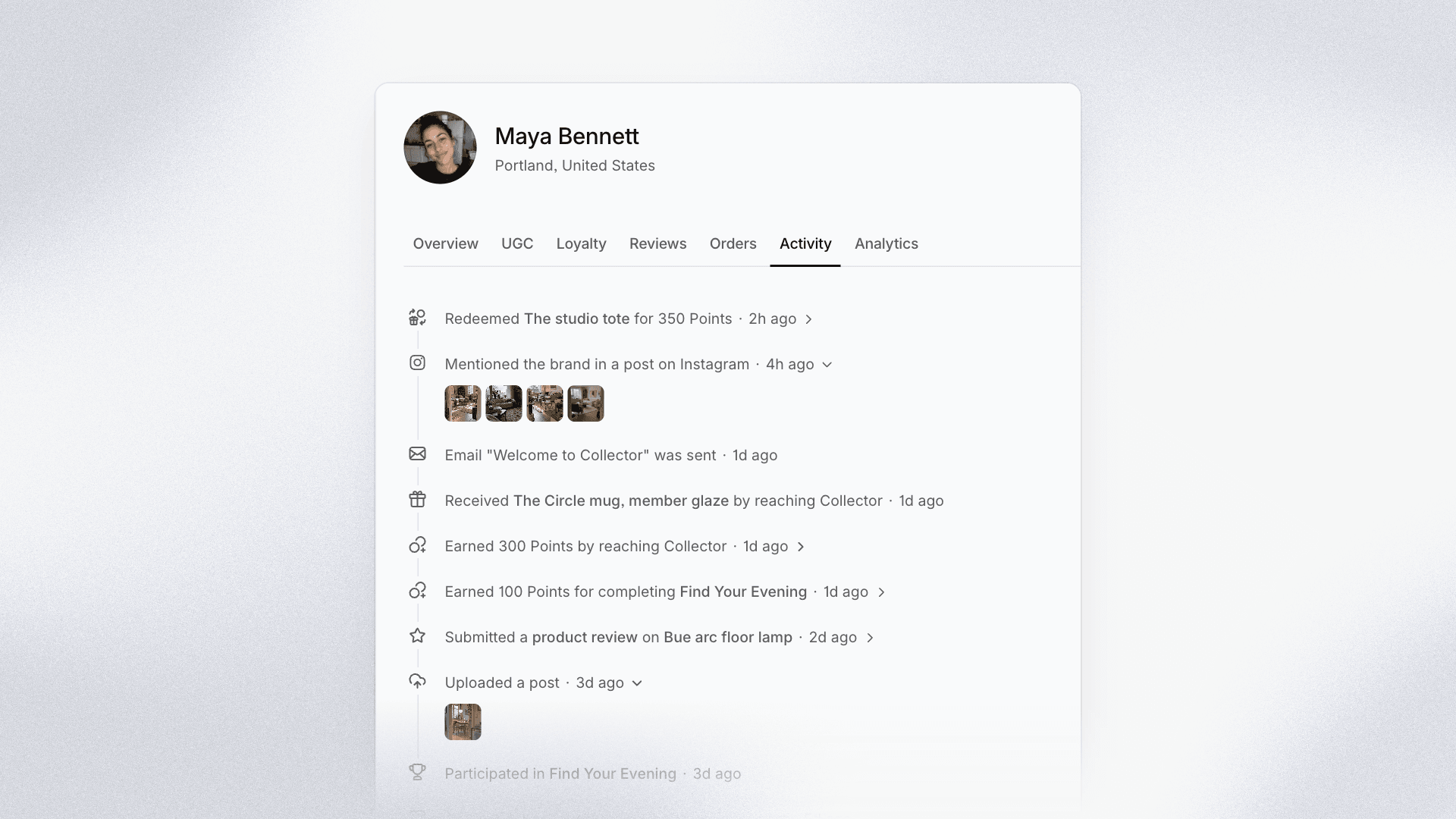
Every profile now has a rebuilt activity timeline that tells the full story of a customer, from their first order to their latest reward.
The timeline brings everything that happens across Cevoid into one place, written in plain language. Instead of guessing why a member's balance changed, you can read it: points earned by reaching Gold, order #1042 fulfilled, or a points expiration email sent.
What's new
- Orders and loyalty together: Orders placed, fulfilled, canceled, and refunded, next to points earned, spent, and expired, tier changes, and rewards.
- The reason behind every change: Points and rewards say how they were earned, such as reaching a tier or completing an activity, and automatic changes name the setting that caused them.
- Content and emails: Uploads, removed posts, moderation decisions, approved Instagram rights, and every email a flow sends to the customer.
- Who did what: Changes made by your team name the team member, and hovering a name or an order shows a preview.
- Easy to scan: Every entry has an icon for what happened, opens with a click to show its details, and new entries appear live.
Older history has been carried over into the new timeline, so a profile reads the same way from the very beginning.
Open any profile in Profiles and go to the Activity tab. The Recent activity panel on the overview shows the latest ten entries.